Weekly meal plans for iOS
Every week WhatToMake writes you a fresh plan — breakfast, lunch and dinner, seven days, drawn from 175 dishes across sixty cuisines — and folds the whole thing into a single shopping list.
The index
Every cuisine the plans draw on, in full.
01
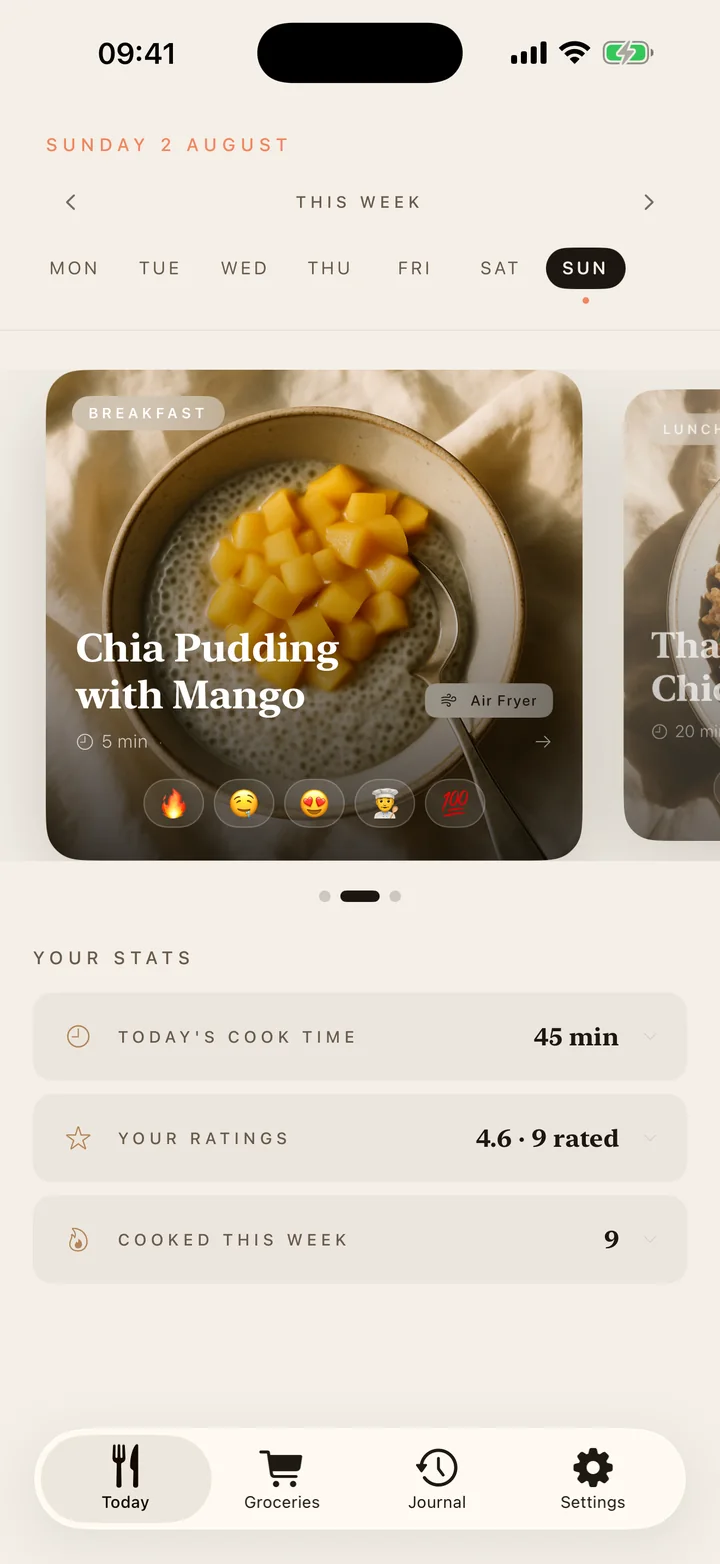
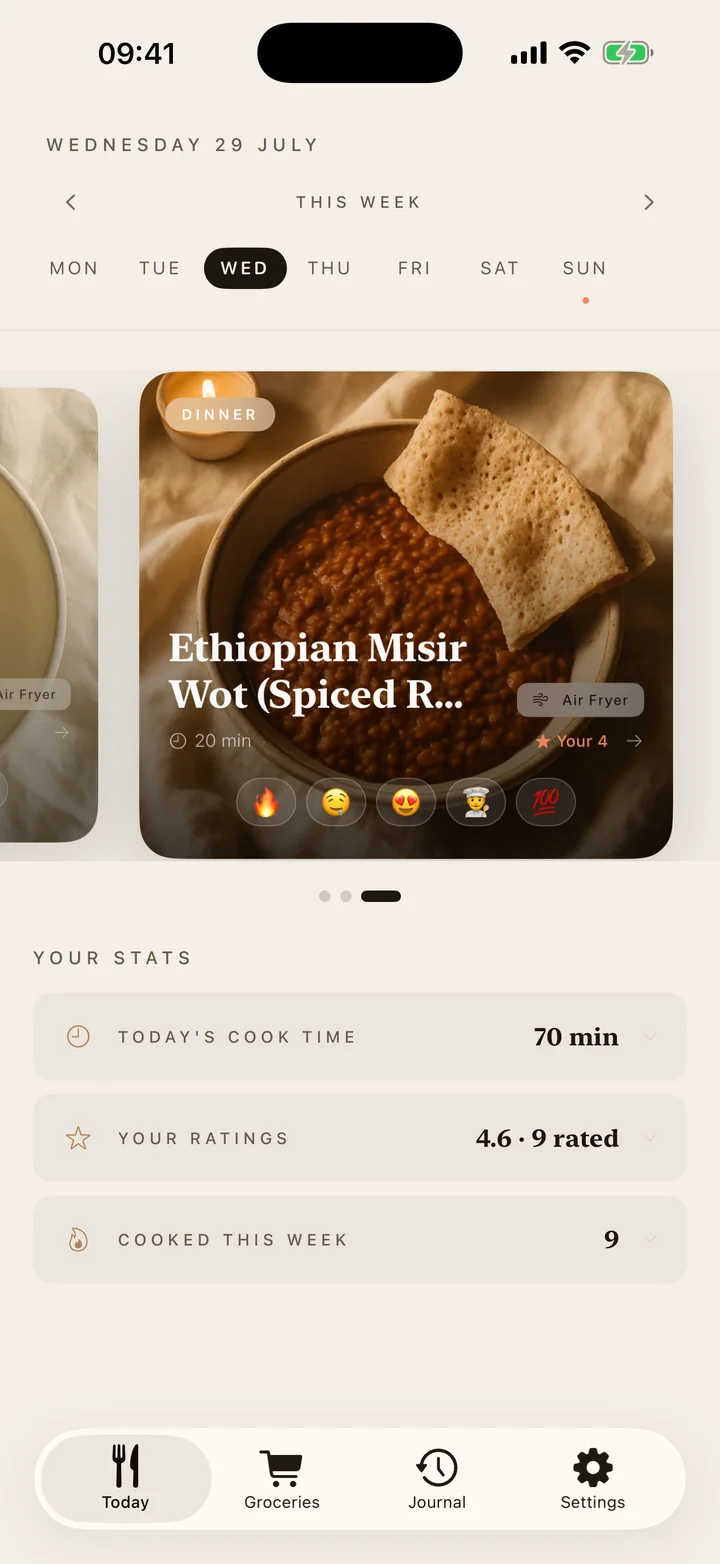
A new plan lands each week: seven breakfasts, seven lunches, seven dinners, each one a dish that belongs somewhere — Uzbek plov, Peruvian causa, Ethiopian misir wot. Open the app and the day is already decided. Cook time, your rating and how the meal went are on the card before you tap it.
02
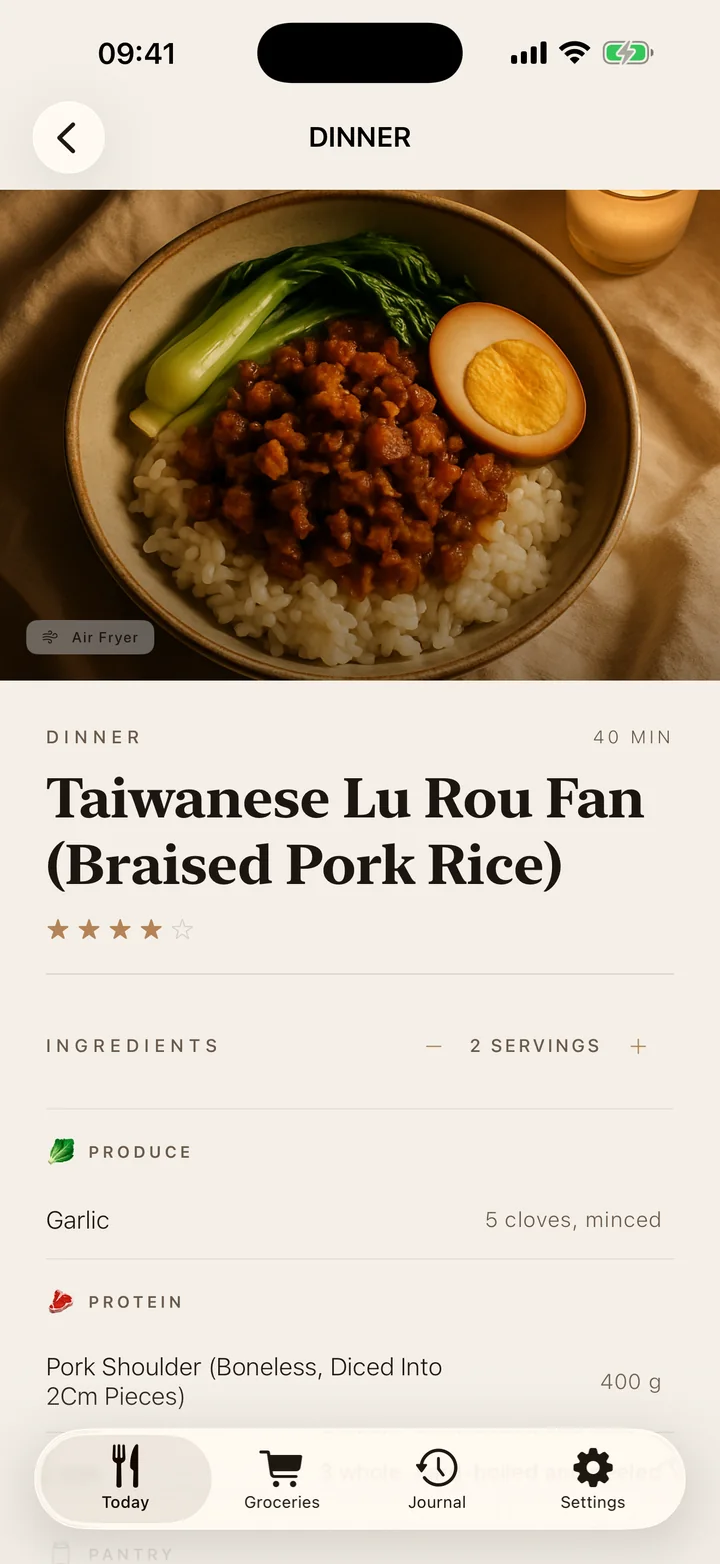
Not four versions of the same dish with an apology attached — one recipe, done properly. Numbered steps you strike out with wet hands, a timer you start from the step that needs it, and every ingredient amount a tap away, so you never scroll back up mid-fry.
03
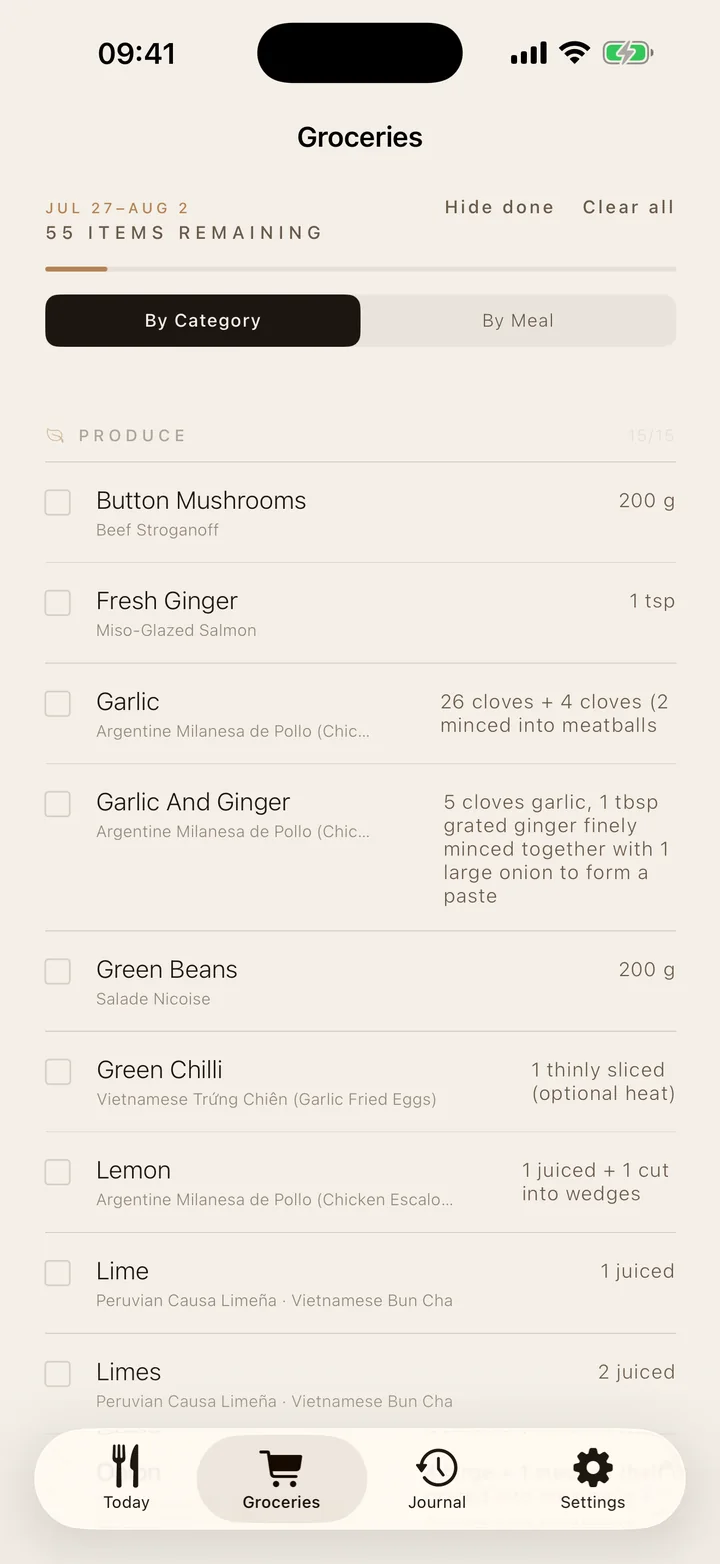
Twenty-one meals collapse into a single list. Ingredients are shared across dishes and added up for you, so a bunch of coriander is bought once, not four times. Sort it by aisle or by meal, tick as you go, or send the whole thing to whoever's actually doing the shopping.
04
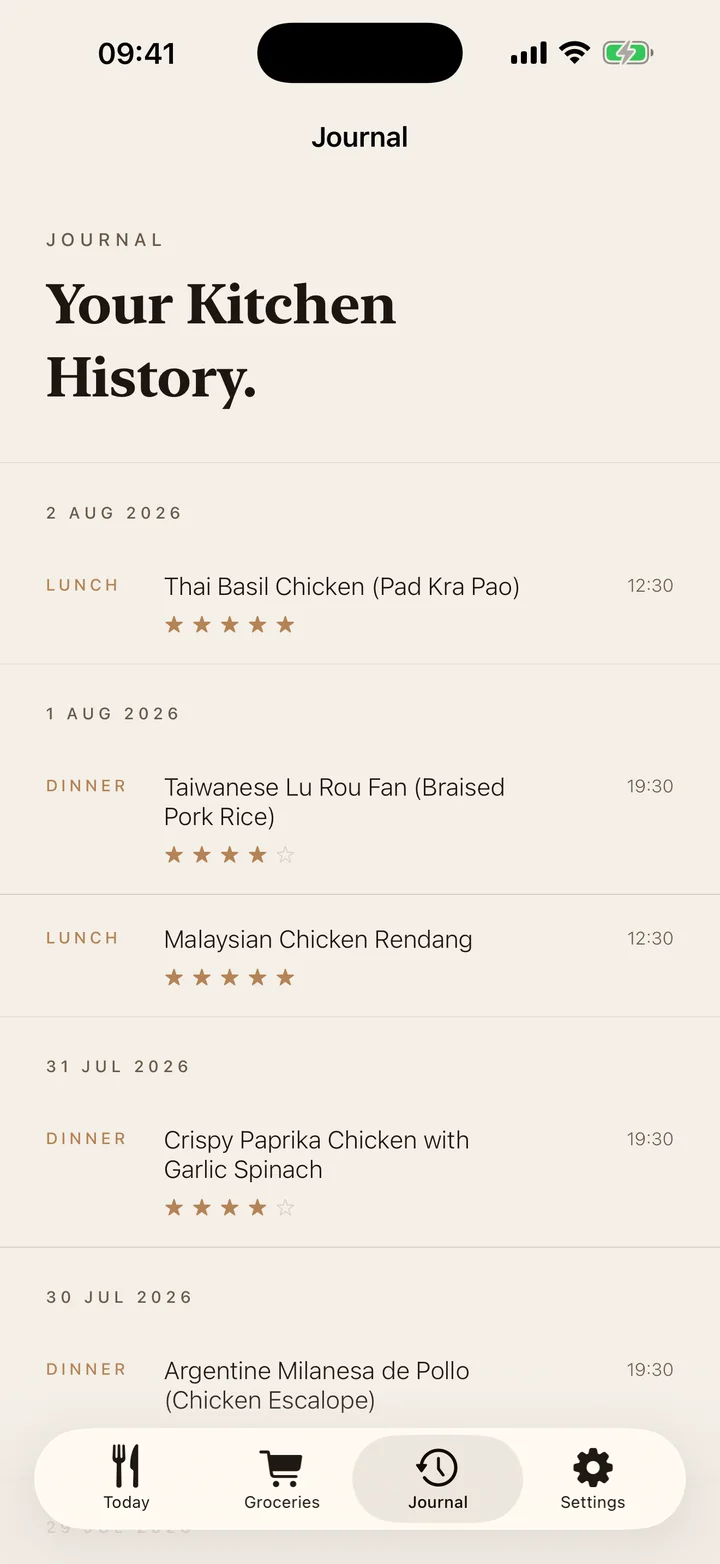
Rate a dish out of five, react to it, and it goes into the journal with the date and the meal. Over a few weeks it turns into something worth having: a record of what you actually cook, what you'd make again, and what the family quietly never wants to see twice.
From the recipes
Anyone can list ingredients. The sentence worth paying for is the one that tells you why the dish fails — and it is written for every step that needs it, not bolted on at the bottom. Three, taken verbatim from recipes in the app.
“Spread the mince across the pan and leave it completely alone for two minutes before you break it up. Stirring straight away steams the meat grey; leaving it builds the brown crust that carries the flavour.”
“Tear the chicken by hand rather than slicing it. Torn edges hold the dressing; sliced ones are smooth and it runs straight off.”
“Pour the tadka over the dal and take it to the table before stirring. It hits the hot dal and releases its aroma in front of whoever is eating — stirred in in the kitchen, half of that is gone.”
Every recipe says how many things you'll have to wash before you start cooking, derived from the steps themselves — because a twenty-minute dinner that leaves three pans is not a twenty-minute dinner.
Pricing
No credits, no tiers, no upsell inside the app. Cancel any time from iOS Settings — no email, no retention screen.
Prices shown for the United Kingdom; your App Store shows your own currency. Subscriptions renew automatically unless cancelled at least 24 hours before the end of the current period. Payment is charged to your Apple ID at confirmation of purchase.